It’s expensive to go to a game, especially in New York.
You overpay for the tickets. You either stay cheap and cram yourself into a subway car or overpay for parking. You overpay for food. You overpay for drinks.
And then you have Atlanta, with the Falcons and soon to be United FC.
They dropped their in stadium prices to dirt cheap levels. They know that you’ve already laid out tens (if not hundreds) of dollars on tickets, so they are doing the fans a favor and just charging them for cost.
Some people pay companies for the ability to advertise for them.
Does that sound backwards? Well that’s because it is.
But so many people leave the signatures on their iPhones and Galaxys that put at the end of an email “Sent from my…”.
You paid $600+ for a phone, and allow them to put ads into every email you send?
On the flip side you have the new Amazon Prime phones, using the Moto G among others, and the phone will give you Ads on your lockscreen.
But in exchange you get the phone at a discount.
In essence, they are paying you to allow ads on your phone.
Yesterday I went to MCU Park in Coney Island for a Single-A game between the Brooklyn Cyclones and the Hudson Valley Renegades.
While the stadium is quite small, compared to major league parks, we got seats as close as we could to the field, and had a great unobstructed view of the game.
The game was monumental in a few ways. For starters, I can’t remember ever seeing a Homerun at a Single-A game…and this game featured two of them, one from Nick Sergakis (first career homer) and Colby Woodmansee (his second of the season).
The Cyclones also turned the first triple-play in team history, shown below.
The Cyclones took the final game of the series, after losing the first two, with a 4-3 win.
For years I have avoided the Facebook app, having heard nothing positive about it.
Until now if I wanted to access Facebook I would just go to my Chrome app and go to the website. Similarly for Facebook Messages.
Recently they started forcing all mobile users to get the Messenger app, so I caved and got Messenger.
Last week I downloaded the actual Facebook app in the hopes that it would make accessing the site easier.
Within a few days my phone was sluggish, and everything was starting to crash at random times, including my WiFi connecting and reconnecting on its own…now this may just seem coincidental, until I tried to fix the problem.
I uninstalled the Facebook app, as it was the only change to my phone in the time when it started acting up…and it took 10+ to uninstall.
On Android that’s an incredibly long time for an App to install/uninstall.
So I figured it must have left some garbage behind, causing it to take so long. In an effort to fix it, I reinstalled it. The reinstall took 10+ minutes as well.
At that point I cleared the cache, deleted any associated files, and went through another 10-minute uninstall.
In the days since I uninstalled, the speeds on my phone have more than doubled, my apps have stopped crashing, and my WiFi remains connected within range.
It’s not a mistake. The Facebook app has been broken for years, and continues to make all devices into sub-par devices.
This past Sunday was the fifth edition of the Hudson River Derby between New York City FC against the Red Bulls, with the Red Bulls having won the first four matches, the most recent of which by a score of 7-0.
July 4th Weekend was the setting, and American Flag Maps was the order of the day for the pregame ceremonies.
Payback came swift and steady as NYCFC pulled out to an early 1-0 lead, courtesy of a great goal from rookie phenom Jack Harrison.
In the second half, after a burst of speed from Harrison and a great cross, Captain David Villa put the nail in the coffin of a 2-0 win. The crowd in the stadium gets much louder for his goal announcement.
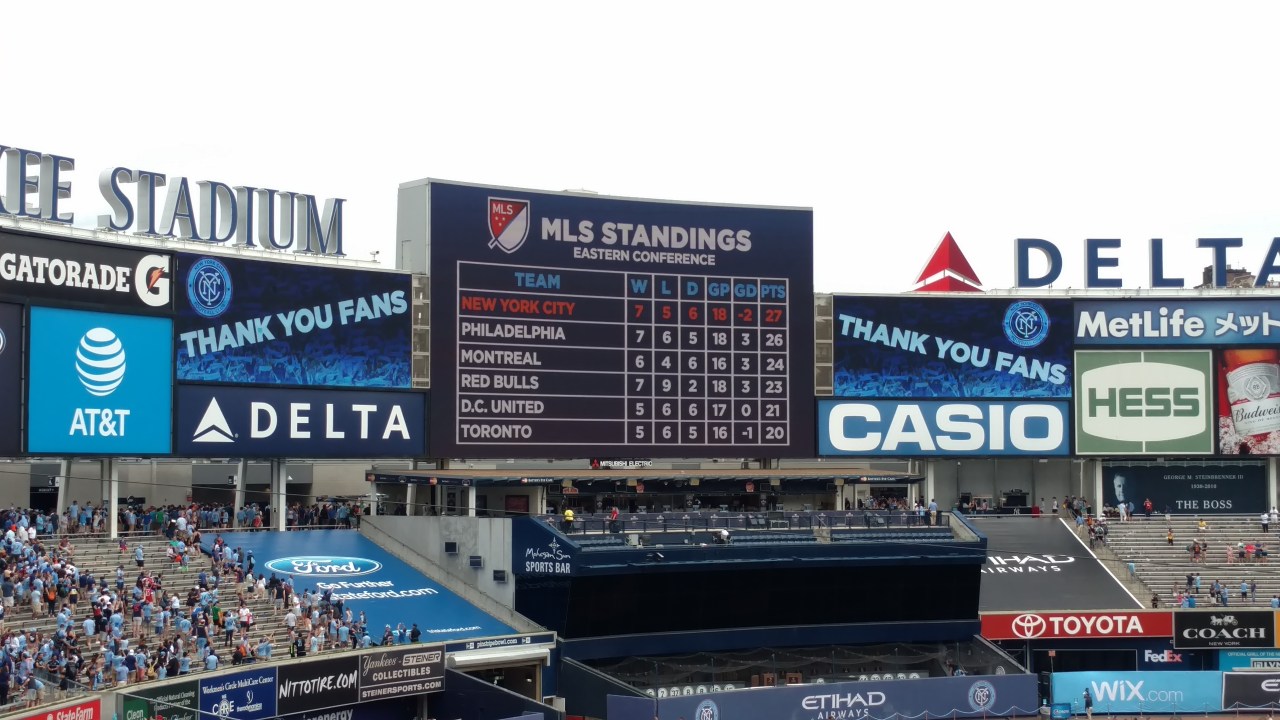
With the win on Sunday, it placed NYCFC on top of the Eastern standings, which the team was quick to point out.
After the match the fans took to the streets cheering the teams victory.
The 12Noon announced start time was great. It meant that the roads were empty driving to the game, and traffic was still light when it let out close to 3PM.
Beer sales couldn’t legally start until 12, which kept pregame roudiness to a minimum, and it left the whole day wide open after the game.
Here is my All-Time New York Knicks roster, based off their time played with the Rangers.
Starting Lineup
C – Patrick Ewing – Franchise leader in Games, Points, Field Goals Made, Free Throws, Rebounds, Steals and Blocks. Only player in Knicks history with 1,000+ Games.
PF – Willis Reed – Captain of the Knicks and a 2X Champion.
SF – Carmelo Anthony – Top 10 in 3 Points Made, Defensive Rebounds, Minutes and Points per game, and (currently, as of 2016 off-season) has the best “Player Efficiency Rating” in Franchise history.
SG – Earl Monroe – 1X Champion and Top 10 Franchise Leader in Field Goals and Points.
PG – Walt Frazier – 2X Champion and franchise leader in Assists. 2nd to Ewing in many categories including Field Goals Made, Free Throws, Games, and Points.
Bench
PF/C – Bob McAdoo – Franchise Leader in Points and Minutes per game.
PF/C – Charles Oakley – Franchise Leader in Offensive Rebounds, and Top 10 in Steals, Rebounds, and Games.
SF – Bernard King – One of the most accurate shooters in Knicks history (shooting 54%).
SF – Latrell Sprewell – The American Dream may have had some choking issues, but he brought a spark to the Franchise, and is 9th in 3 Pointers.
SG – John Starks – Franchise Leader in 3 Points Made (and attempted) and Top 10 in Assists and Steals.
SG – Allan Houston – 2nd in Franchise history in 3 Points Made, and 4th in Points.
Ransomware…It’s a scary thought for many, and an unknown for many others.
Basically it’s when someone hacks into your computer, and takes it over, not allowing you to access it (and your precious files) unless you pay a fee.
With this and a lot of other hacks, there are some steps you can take to make sure that if/when you are hacked, you don’t need to sweat that you can’t access your files, and you can just brush away the cyber terrorists.
For starters, back your files up frequently.
This can be done to the cloud (services like Dropbox, Google Drive, OneDrive) which obviously face its own hacking failures, or on a hard drive you keep at home.
If you choose to backup to a hard drive, don’t leave it plugged into your computer after you are finished backing up, since hackers would potentially have access to those files and wipe them out before you knew they were in your computer.
Unplug it and keep it nearby, so that it isn’t a pain to backup (on a separate note, I keep my backup hard drive in a fireproof box, because if fire is what destroys your computer, it’s likely to destroy a hard drive sitting next to it, taking your files with it).
What happens if you are hacked? One of the first things I would do is disconnect from the internet. Turn off the wifi on your computer (if you have a button that can put it in airplane mode, as some laptops do), or go straight to your router/modem and just flip the switch off.
If your computer can’t access the internet, the internet terrorists can’t access your computer.
This does NOT mean that your computer is home free. If they laid the lines correctly, as soon as you reconnect to the internet, they can potentially get right back in. And if they placed some sort of ransomware program on your computer, it can run without the internet.
So after disconnecting from the internet, it’s time to weed out the bad files/folders/programs and delete them all before you log back online. If you need help from an expert, there are plenty of computer geeks/nerds/techies out there that’ll help eradicate the villains from your computer.
Citymapper is your new maps app for getting from place to place, providing you aren’t driving.
It’s available for Google Play and iOS, and it’s the multimodal transit app.
Multimodal = multiple modes…and boy does this include it.
It’ll get you from Point A –> Point B with a variety of options. In NYC for example you have Buses, Subways, Trains, City Bikes, Ferries, Ubers and Car2Go’s.
When you start your route, it’ll give you up to the minute times, for all the subways/buses, including delays and reroutes that may be happening.
It’ll also tell you how long it would take to walk/bike the route, and what it will cost to Uber the route right now.
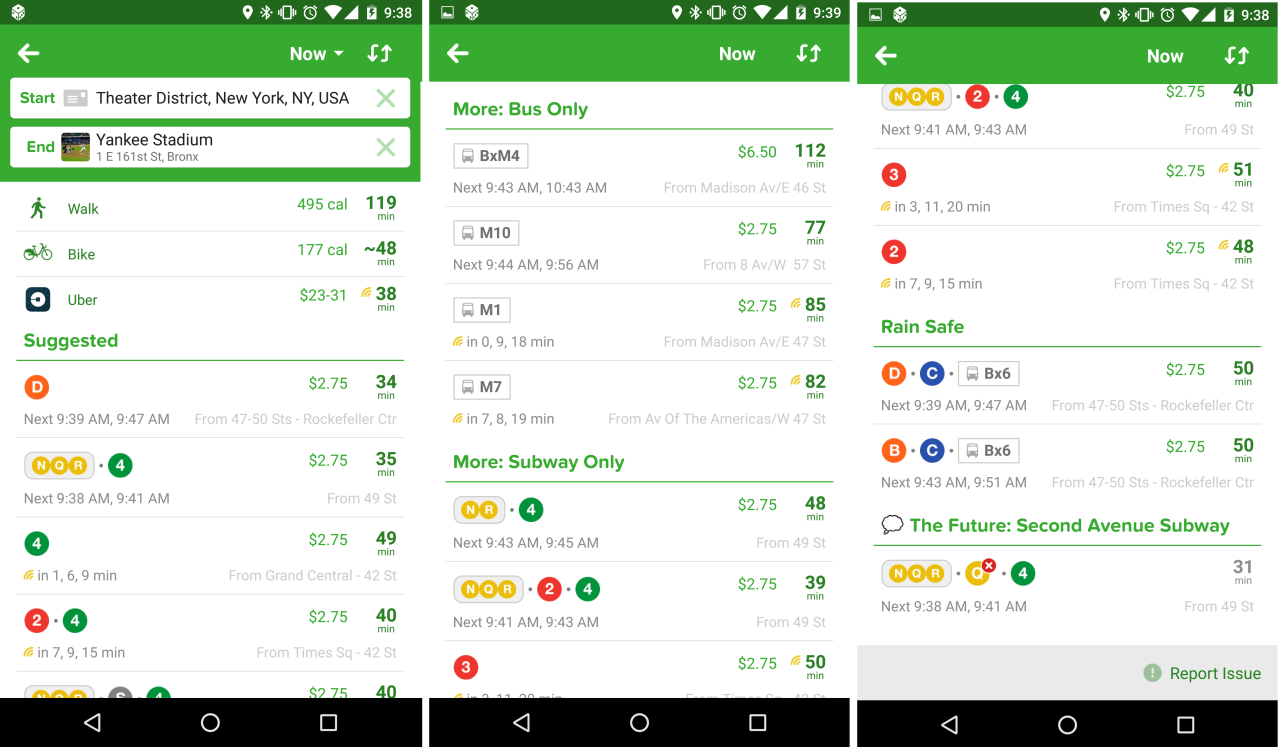
Here is an example from this morning, from Times Square to Yankee Stadium:
They give you the best suggested methods based on time, they give you suggestions based on only one mode of transit, and they give you options with the least outdoor exposure (Rain Safe), along with a futuristic plan for when the 2nd Avenue Subway kicks off.
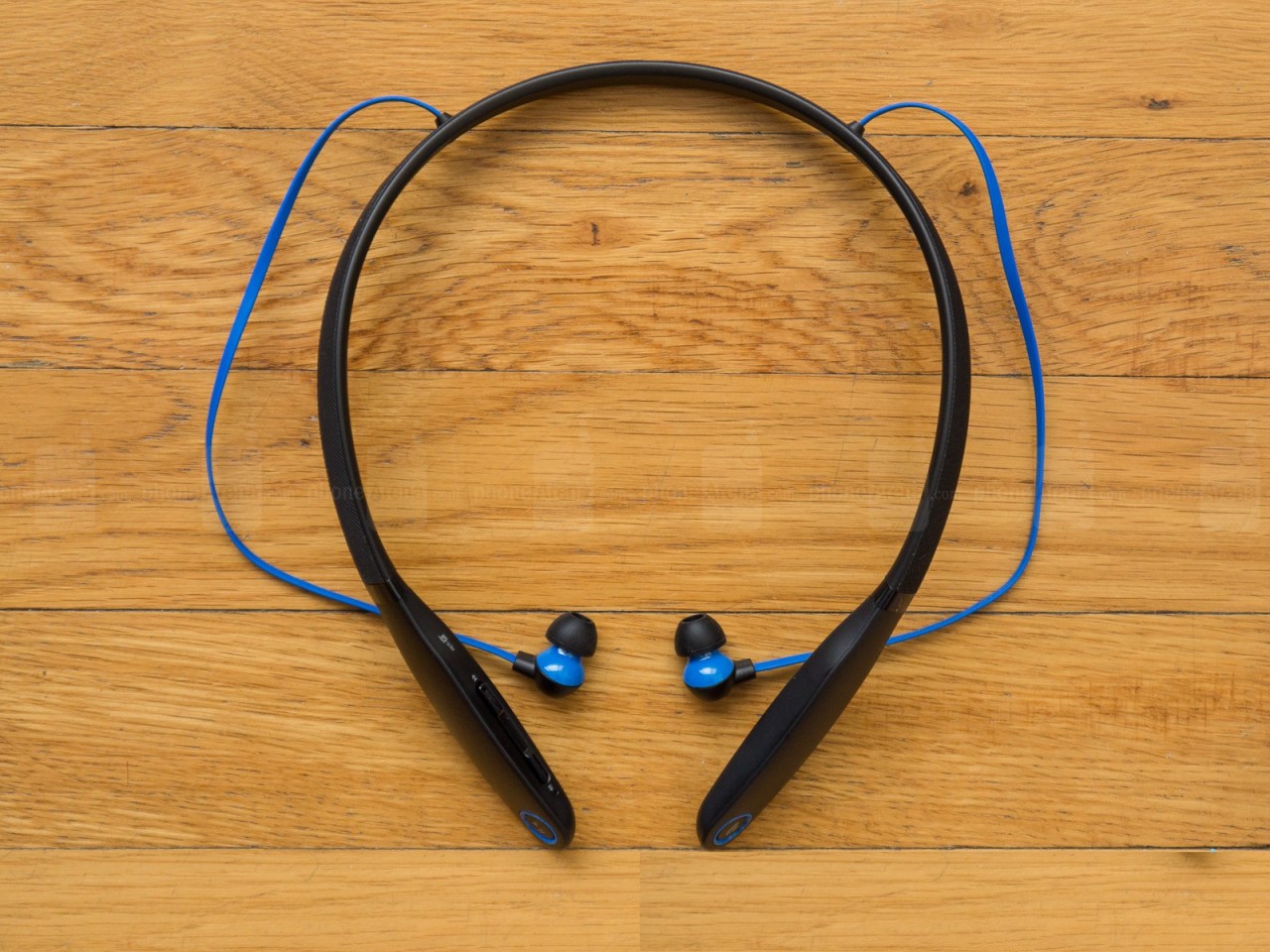
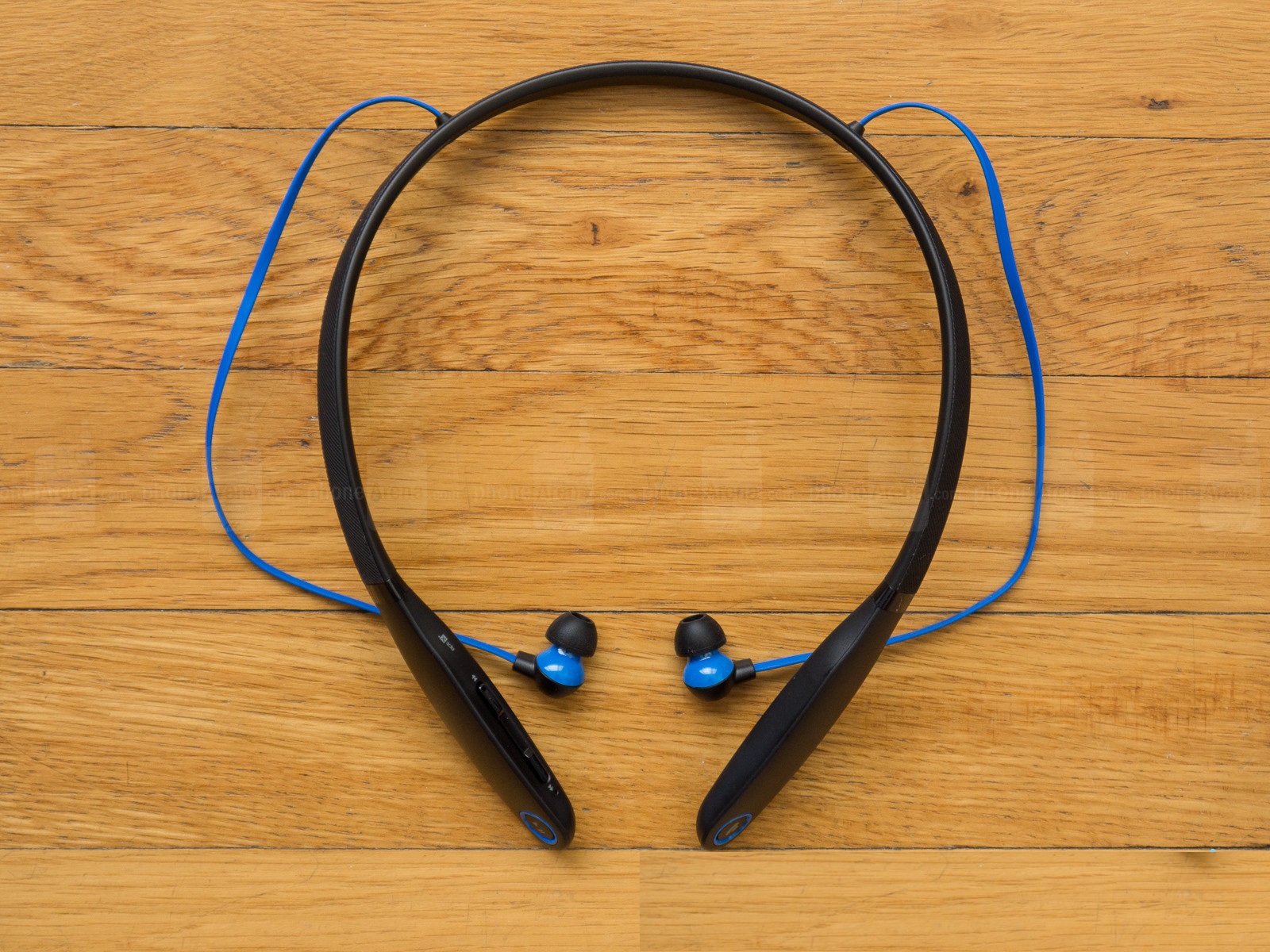
Moto Surround is one of Motorola’s BlueTooth headphones. The Surround ($55) are earbuds, while the Pulse ($30) is the old fashioned ear cushions.
With more phones heading towards no headphones jacks, I figured it was time to start trying bluetooth headphones.
If you aren’t familiar, more phones (such as the next iPhone and the Moto Z) are looking at a single USB-C port, to be used for charging or headphones. So you will need special USB-C headphones and won’t be able to charge while listening to music/watching movies.
Unless you go with Bluetooth.
The “base” sits comfortably around the neck, and the buds sit very nicely in the ears.
The Moto Surround, is easy to connect, on both Android and iOS. The music quality is really good, but sound quality takes a hit on phone calls.
The reason is that it feeds your microphone audio back into your ears, and you hear the background noise in real time and echoed in the buds.
This issue is likely a “bluetooth issue” and not a “Surround issue”, but now is when I discovered it.
When using them on Android, the device takes bluetooth audio delays into account and syncs it nicely, so the lip movement is in line.
But when using it on iOS (the latest version) my Hulu shows were off by 2+ seconds on lip flap, making it very hard to watch.
A decent bluetooth headphone, really great considering its price range, this pair of headphones gets a 7.5 out of 10.
When you buy an item, especially of value, it’s usually done on a credit card.
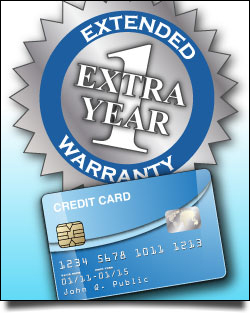
And what we often forget is that Credit Cards offer extended warranties.
Chase Freedom, 1 year. Citi Double Cash, 2 year. And I’m sure your cards have similar incentives.
But we never think about it nor take it advantage of it.
Recently my Moto 360 started acting up. Whenever it would have extended vibrations (phone calls, multiple notifications at once, etc.) it would shut off, and couldn’t be turned back on until placed on its dock.
And when it would start to recharge, it would pick up right from where it was before it died (if it had been at 81%, it would start from there, etc.).
So it wasn’t killing the battery completely, it was just shorting out.
Unfortunately it was 20 months after I had bought the device, and the Motorola warranty was for 12-months.
Something sparked in the back of my mind, reminding me that my Chase Visa Card extends warranties. So I called them up and told them my scenario, and they told me to send it in for an estimate.
Motorola reviewed it, and determined that it would cost $100 for repair, and Chase/Visa approved it.
Last week I got the Moto 360 back on my wrist, and the battery is as good as it was on Day 1.
I am getting full days (3AM-8PM) battery life, with more to spare if I needed it.






 Aviously